
Download Internet Connection Repair Tool – internet connection repair, troubleshoot internet, fix internet issues, network troubleshooting, repair network connection, fix connectivity problems
Overview
The Internet Connection Repair Tool is a lightweight utility designed to assist users in diagnosing and resolving common internet connectivity issues on Windows systems. Developed by Joe C. Jones, this tool extends the functionality of the built-in Windows network troubleshooting features by offering a guided, step-by-step approach to identifying and fixing problems related to ADSL and cable connections. It is specifically tailored for users who experience recurring or sudden disruptions in their internet access, aiming to reduce frustration and restore connectivity quickly.
The app targets a broad audience, including home users, remote workers, and individuals with limited technical knowledge who may struggle to navigate complex network settings. By simplifying the troubleshooting process, it empowers users to take immediate action without relying on IT support or third-party services. Its real-world use cases include resolving failed DHCP assignments, DNS resolution errors, and intermittent disconnections—common issues that can hinder productivity and online activities.
Although the developer did not provide additional technical details, the tool’s continued relevance since its release in 2009 suggests a stable and functional design. In the broader app ecosystem, it occupies a niche as a no-install, free solution for network diagnostics, filling a gap left by more complex or paid alternatives. For users seeking a straightforward way to address connectivity problems, this utility remains a practical and accessible option.
Key Features & Functionality
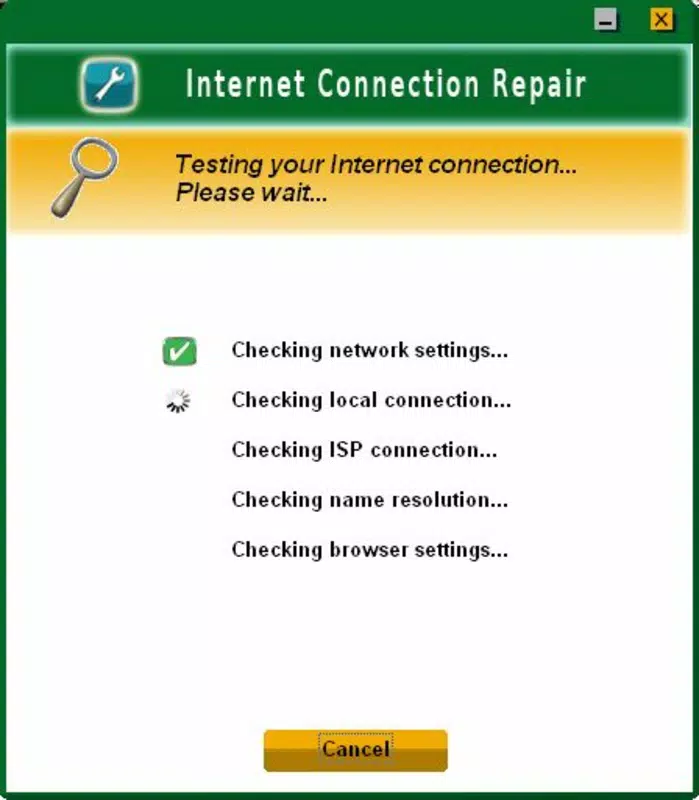
- Automated Problem Detection: The tool performs a systematic scan to detect common network issues, such as misconfigured IP settings, DNS failures, and router communication errors. This automated approach reduces the need for manual diagnostics and helps users identify root causes efficiently.
- User-Friendly Guidance: A step-by-step interface walks users through each diagnostic and repair action. This structured guidance ensures clarity, especially for non-technical users who may feel overwhelmed by command-line tools or network configuration panels.
- No Installation Required: The tool operates as a portable application, meaning it can be run directly from a USB drive or local folder without leaving traces in the system. This makes it ideal for use on shared or restricted devices where installation is not permitted.
- Free to Use: As a completely free utility, the Internet Connection Repair Tool removes cost barriers, allowing widespread access. This accessibility supports users across different economic backgrounds who need reliable internet connectivity for work, education, or communication.
- Focus on Common Errors: By concentrating on the most frequently encountered network problems, the tool increases the likelihood of a successful resolution. This targeted approach enhances user satisfaction by delivering results in minimal time.
For example, a user experiencing a "No Internet" error can launch the tool, allow it to run its diagnostic, and follow the on-screen recommendations to reset network adapters or flush DNS caches. Similarly, someone with a slow or unstable connection can use the tool to check for interference or misconfigured settings, potentially restoring performance without advanced knowledge.
Interface, UX & Performance
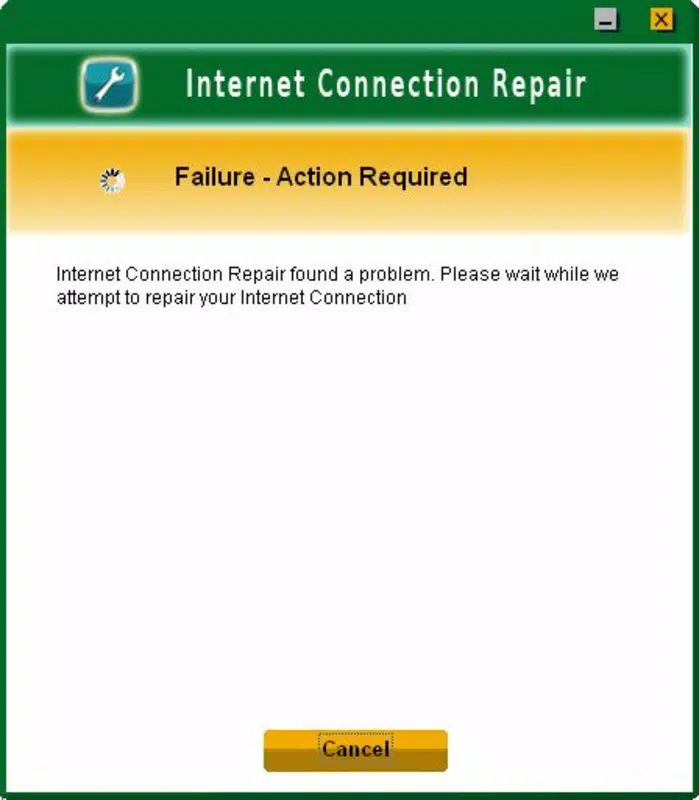
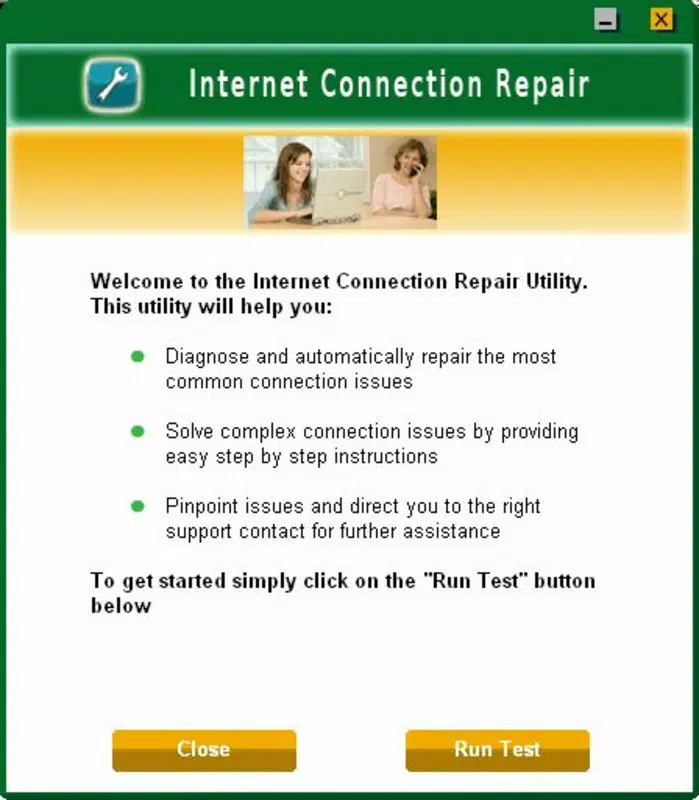
The interface of the Internet Connection Repair Tool is minimalistic and functional, designed with usability in mind. It features a clean layout with clear navigation and concise instructions, ensuring users can follow each step without confusion. The visual style is plain but effective, prioritizing information delivery over aesthetic embellishment.
Navigation is linear and intuitive, progressing from initial diagnostics to recommended fixes. Users are prompted to confirm actions, which helps prevent unintended changes to system settings. The tool’s responsiveness is consistent across different Windows device categories, though the developer did not list formal performance metrics.
Although the developer did not specify minimum OS requirements, the tool has been in use since 2009, suggesting compatibility with a wide range of Windows versions. Stability appears to be maintained over time, as the tool continues to function without reported issues in its current form. The lack of installation also reduces the risk of conflicts with other software, contributing to a reliable user experience.
Platform Compatibility & Technical Requirements
The Internet Connection Repair Tool is available exclusively for the Windows platform. It requires no installation and operates as a standalone executable file with a size of 1.5 MB. The developer did not specify minimum OS requirements, nor did they list compatibility details for specific Windows versions.
Given its release date of 2009, it is likely compatible with older Windows systems such as Windows XP, Vista, 7, and 8. However, users on newer systems like Windows 10 or 11 should verify functionality through testing. The small file size indicates low resource consumption, making it suitable for devices with limited storage or processing power.
Pros and Cons
Pros
- Free to use with no hidden costs or subscriptions
- No installation required – runs directly from any location
- Simple, step-by-step interface suitable for non-technical users
- Designed to resolve common internet connectivity issues efficiently
- Lightweight and fast, with minimal system impact
Cons
- Developer did not provide detailed system requirements or compatibility information
- Only available for Windows, limiting accessibility on other platforms
- Limited to common network issues; may not address complex or rare problems
- Released in 2009, so may lack support for modern network protocols or configurations
- No official update history or release notes available
FAQ
Is the Internet Connection Repair Tool safe to download and use?
Yes, the tool is designed as a free utility and has been used by many users since its release. As with any executable file, it is recommended to download it from trusted sources and scan it with antivirus software before running.
Can I use this tool on Windows 10 or Windows 11?
The developer did not specify compatibility with newer Windows versions. However, due to its lightweight and legacy design, it may still function on Windows 10 and 11. Testing in a safe environment is advised.
Do I need admin rights to run the tool?
While not explicitly stated, many network repair tools require elevated privileges to modify system settings. It is recommended to run the tool as an administrator to ensure full functionality.
Is the tool available for Android or iOS?
No, the Internet Connection Repair Tool is exclusively designed for Windows and is not available on mobile platforms such as Android or iOS.
How often should I update the tool?
The developer has not released any updates since its initial release in 2009. As such, there is no official update cycle. Users should rely on the current version but remain cautious about potential compatibility issues on modern systems.
Final Thoughts
The Internet Connection Repair Tool remains a valuable resource for users seeking a simple, no-cost solution to common internet connectivity problems. Its portability, ease of use, and focus on frequent network errors make it a practical choice for individuals without technical expertise. While it lacks modern updates and platform diversity, its core functionality continues to serve its intended purpose effectively.
Those who frequently encounter internet disruptions—especially on older or shared Windows systems—will benefit most from this utility. Its zero-cost model and no-install requirement enhance accessibility, making it a reliable tool in any user’s digital toolkit.
Download Internet Connection Repair Tool now


